AI Food Photo Scanner
Take a photo of a meal and use AI analysis to identify food and estimate calories and nutritional information.
Count calories and track your daily nutrition with CoreFit AI. Log meals by photo, voice, text or barcode and keep your calories, macros, sodium, water, fasting and weight progress in one place.
CoreFit AI is an AI-powered calorie counter and food tracker designed to make daily nutrition logging faster. Instead of relying only on manual food entry, CoreFit AI gives you multiple ways to record what you eat while helping you monitor your calorie and nutrition goals.
Open your phone camera and scan the QR code below.
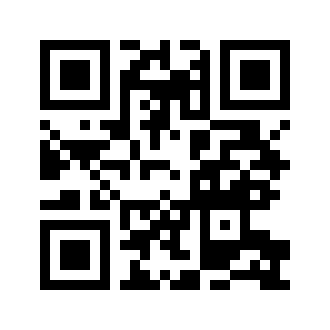
Point your Android camera at the code → Tap the link → Install
Take a photo of a meal and use AI analysis to identify food and estimate calories and nutritional information.
Describe what you ate using your voice and quickly add the meal to your calorie log.
Enter meals in plain text for another fast way to record calories and nutrition.
Scan food barcodes to help identify packaged foods and add their nutrition information to your daily log.
Track daily calories along with protein, carbohydrates and fat against your nutrition goals.
Monitor sodium alongside calories and macronutrients for a more complete picture of your daily food intake.
Record daily water intake and monitor progress toward your hydration goal.
Track fasting periods including 16:8, 18:6, 20:4 and OMAD schedules.
Log your weight and follow your progress toward your personal weight goal over time.
Get meal ideas based on your remaining daily calorie and nutrition targets.
Keep daily calorie and nutrition targets visible while tracking your meals and progress.
Track logging streaks and achievements to help maintain consistent nutrition tracking habits.
A calorie counter is most useful when logging food is easy enough to do consistently. CoreFit AI combines traditional calorie tracking with AI-assisted meal logging so you can choose the method that works best for each meal.
Use the AI food photo scanner when you have a meal in front of you, voice logging when you want to describe what you ate, text logging when you prefer typing, or the barcode scanner for packaged foods.
CoreFit AI provides more than a basic calorie log. Your dashboard can help you follow calories, protein, carbohydrates, fat and sodium while also keeping track of water intake, fasting activity and weight progress.
Your food log and nutrition goals work together so you can see how your meals contribute to your daily targets. Weight tracking and progress information provide another way to follow changes over time.
Use your Android camera or QR scanner to scan the CoreFit AI installation code above.
Follow the link to open the CoreFit AI calorie counter on your Android phone.
Follow Chrome's installation prompt to add CoreFit AI to your device.
Launch CoreFit AI and begin logging meals and tracking your daily nutrition.
Already viewing this page on your Android phone?
Open CoreFit AI